


AARP Now
4.77.50K Reviews
App Specs
- Version
- 4.8.2
- Updated On
- License
- Free
- Downloads
- 5,000,000+
- Developer
- AARP
- Categories
- Lifestyle
- Platform
- Android, iOS
Screenshots
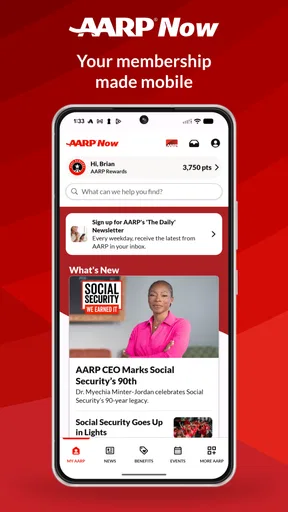
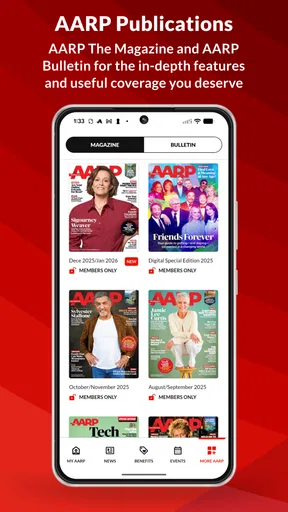
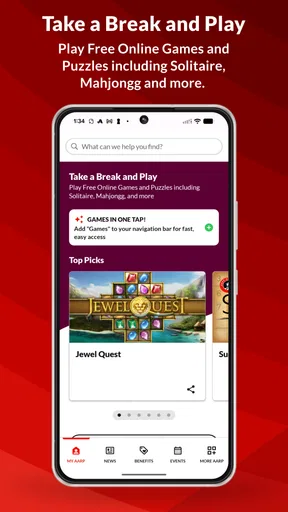
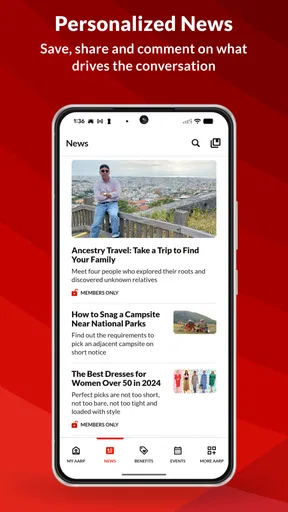
 Analysis by AppCompare
I often reach for my phone when I have a few minutes free, but a general news feed can quickly turn into a jumble of stories I didn’t mean to read. AARP Now is aimed at a more defined mix: useful news, events, and member savings in one place. I see its main appeal in having those things close together, rather than needing to search separately whenever I want a local activity or an article relevant to everyday life.
A quick stop for news and practical information
As a lifestyle app from AARP, it is especially suited to people who already look to the organization for information or benefits. It is free to download, rated for Everyone, and has a 4.7 average from around 62,000 ratings. Those figures suggest broad appeal, but they don’t tell me whether its mix will suit every reader. If your main goal is breaking news from many sources, a dedicated news reader may be a better fit; this app is more compelling when its particular combination of editorial content, events, and benefits matches what you want.
My most useful way to approach it is with a small, specific task in mind. For example, I might open the news section while waiting for an appointment, save an article that needs a closer look, and later check the events area when planning something to do. That simple sequence gives the app a practical role: it can turn short pockets of phone time into reading or planning without requiring me to build a complicated routine.
First Impressions and Navigation
When I first opened AARP Now, I was pleasantly surprised by its sleek and straightforward interface. There’s something satisfying about an app that doesn’t make you jump through hoops just to find what you need. The home screen is clean, with easy navigation tabs at the bottom. It’s all about getting you to where you need to go without any fuss.
The navigation is intuitive, with options like News, Events, and Benefits clearly laid out. Each section is just a tap away, and transitioning between them is smooth. I didn’t experience any lag or hiccups, which is always a plus in my book.
News and Articles
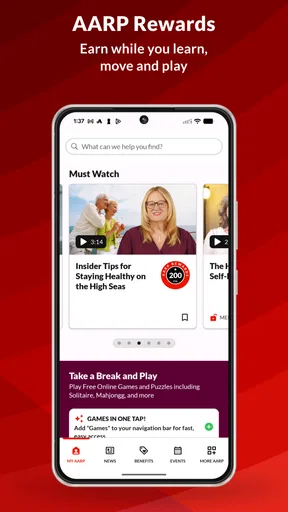
One of the standout features of the app is its news section. I found it to be a treasure trove of articles spanning a plethora of topics. Whether you're interested in health, finance, or lifestyle, there’s something here for everyone. The articles are well-written and concise, perfect for a quick read during a coffee break.
What I really appreciated was the variety of content. From in-depth pieces to quick tips, the app covers a wide range of interests. Plus, the ability to save articles for later means you can come back to them whenever you have more time.
Worth Reading Before You Choose

EA SPORTS FC Mobile 26 Is a Bigger Football Game, but It Takes Time

Flipboard Shows What News Apps Must Do Beyond the Feed

Switching to Android Auto Means Rethinking Your Driving Routine

Google Calendar Makes a Crowded Week Easier to Manage

Ludo King Makes the Most of the Minutes Between Plans

Baby Panda World Brings Quick Play to Modern Phones, but Its Game Library Feels Busy
Making a useful reading routine
Saving an article is more than a convenience if you use the app in short bursts. I’d treat the saved list as a reading queue: skim when I have a spare minute, save anything that deserves attention, then return when I can focus. That helps separate casual browsing from topics that may call for a more careful read, such as a health or financial story. I wouldn’t treat an article as a substitute for personal professional advice, but the app can be a handy starting point for deciding what I want to learn more about.
There is a trade-off in keeping several kinds of content together. A varied feed can introduce useful subjects I would not have searched for, yet it can also mean I need to be deliberate about what I open. If I only want a narrow stream of headlines, I’d use a dedicated news app with sources I choose. If I want a mix of practical lifestyle reading and AARP-related information, the broader selection here makes more sense.
Events and Social Engagement
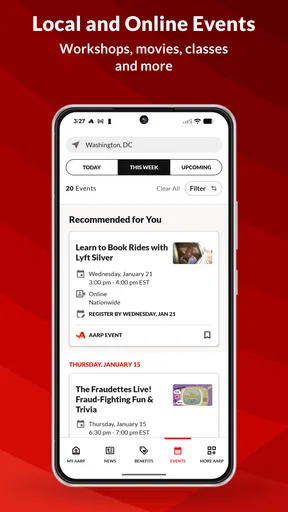
Another cool feature is the Events section. It’s like having a personal calendar of happenings that might pique your interest. Whether it’s a virtual event or something in your local area, the app provides details and even allows you to register within the app itself. It's incredibly convenient for those looking to stay socially active and engaged.
The event recommendations are tailored based on your preferences, which I thought was a nice touch. It’s great to see how the app personalizes content to make it more relevant to the user.
From browsing to making a plan
A realistic use is to check the events section before a week gets busy, rather than waiting until the same day to find something to do. I’d look at the details, decide whether an event fits my schedule, and register in the app when I’m ready. For something local, I’d still check the location and timing carefully before setting out; the app helps me discover and arrange an option, while my calendar and travel planning handle the rest.
This distinction matters if you are choosing between AARP Now and a general event-discovery service. The latter may be preferable when you want the widest possible range of nightlife, ticketed entertainment, or community listings. AARP Now is a better first stop when you’re interested in the kinds of activities and information presented to its audience. Personal recommendations can make browsing feel more relevant, but I would not assume that every nearby event will appear or that a suggested activity will suit every schedule.
Member Benefits and Discounts
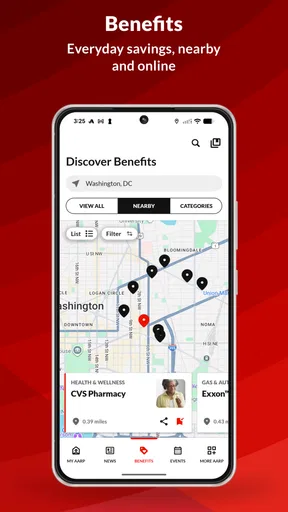
This is where AARP Now truly shines. If you’re an AARP member, the app is a gateway to a world of exclusive benefits and discounts. From dining and shopping to travel and health services, the app lists numerous deals that can help you save money.
The benefits are neatly categorized, making it easy to find what you’re looking for. I was impressed by the variety and scope of discounts available. It’s definitely a value-add for anyone looking to make the most of their membership.
Checking a benefit before spending
I’d use the benefits area as a prompt to compare before making a purchase, not as a reason to buy something I hadn’t planned on. If I were arranging a meal or considering travel, I’d first browse the relevant category, then read the offer’s conditions and confirm that it applies to my situation before paying. That extra pause is important: a discount is only useful when its terms, timing, and participating option fit the plan.
For a member who already checks AARP offers, having categories in the same app as news and events can reduce the effort of finding them. A coupon-focused app may be stronger for comparing promotions across many retailers, while a browser search can be faster for one specific product. The advantage here is the connection to AARP benefits; the limitation is that it is not a universal deal-comparison tool. In-app purchases are listed at $20 to $79 per item, so I’d check what an optional purchase covers before committing rather than assuming every part of the experience is included at no cost.
Notifications and Customization
We all know how annoying constant notifications can be, but AARP Now handles this well. You can customize your notification settings to ensure you only get alerts about what truly matters to you. It’s a small feature, but it makes a big difference in user experience.
Plus, the personalization doesn’t stop there. The app allows you to tailor your feed based on your interests, ensuring you’re always seeing content that you care about.
Keeping the flow manageable
When setting up an app that combines editorial updates, events, and savings, I prefer to begin with only the alerts I genuinely want. That makes a useful difference over time: a notification should give me a reason to open the app, not interrupt me simply because another section has something new. I’d also revisit the feed preferences after using the app for a while. Interests change, and a little adjustment can make a mixed feed feel more personal without turning setup into a chore.
There is still a handoff between discovery and action. Reading an article may lead me to save it, finding an event may lead me to register, and seeing a benefit may lead me to review its terms before using it. The app brings those steps together, but I still need to make the final decision and keep track of anything important. That’s a sensible balance for a general lifestyle app, though someone who wants every task managed in one place may prefer separate tools designed specifically for reading lists, calendars, or shopping comparisons.
Who will get the most from it
I’d recommend giving it a try if you’re an AARP member who wants a convenient place to browse articles, explore events, and check benefits without starting each search from scratch. It may also suit someone who is curious about AARP’s news and activities even before deciding how often they will use the app. Its strongest case is not that it replaces every service on a phone, but that several related kinds of discovery sit close together.
I’d be less likely to recommend it to someone who wants a highly specialized tool. A reader who needs a tightly controlled feed from selected publishers may prefer a dedicated news app. Someone whose priority is comparing every available discount may want a broader shopping or coupon service. And if event planning is the only goal, a calendar or local event platform may offer a more direct workflow. AARP Now earns its place when the combined AARP-oriented mix is useful, not simply because it contains multiple sections.
Overall Experience
In the end, my time with AARP Now was quite enjoyable. The app is like having a personalized assistant that keeps you informed, entertained, and connected. It’s an excellent resource for those who are part of the AARP community, but even if you’re not a member, there’s enough here to keep you engaged.
While the app does a lot of things right, there’s always room for improvement. Perhaps more interactive features or a community forum could enhance the experience. But as it stands, AARP Now is a solid choice for anyone looking to enrich their digital life.
What to expect before installing
AARP Now has been available since April 29, 2011, and its current version is 4.6.0, with more than 5 million installs. That reach makes it an established option rather than an unfamiliar experiment, while the straightforward layout remains central to its appeal. It requires Android 9 or later, so checking your device’s operating system first is a practical step if you are installing it on an older phone.
The app is free, but that does not mean every possible purchase or benefit-related transaction is automatically free. I’d distinguish between installing and browsing the app and any optional in-app purchase, then review the terms shown for an offer or purchase before acting. The Everyone age rating also makes the app broadly accessible, though individual articles and event details will naturally be aimed at different interests and life situations.
A practical verdict
For a simple everyday workflow, I’d open the app with one goal: catch up on a saved story, see whether an event fits my week, or check a relevant benefit before spending. That keeps the experience useful instead of letting a multi-purpose feed become another place to scroll without a plan. The strongest outcome is having a few worthwhile discoveries lead to a real next step—reading later, registering, or checking an offer carefully.
My recommendation is most confident for AARP members who value those handoffs and are comfortable doing a little comparison before taking action. For everyone else, I’d install it only if its particular blend of lifestyle news, events, and savings sounds more useful than the focused alternatives already on their phone. It is not a replacement for a dedicated news source, calendar, or deal finder, but as a convenient AARP-centered starting point, it can make those small everyday searches easier.
Pros
- User-friendly interface for easy navigation.
- Access to a wide range of articles.
- Convenient event and activity reminders.
- Exclusive member discounts and offers.
- Personalized content tailored to interests.
Cons
- Limited functionality without membership.
- Occasional bugs may affect performance.
- Requires internet for most features.
- Notifications can be overwhelming.
- Some features locked behind paywall.
FAQs for AARP Now
What is AARP Now and what features does it offer?
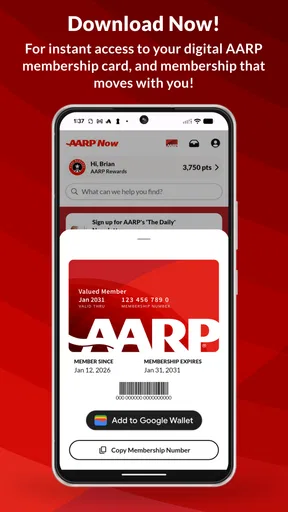
AARP Now is a mobile application designed for AARP members, providing easy access to news, events, and member benefits. Key features include personalized content, local event notifications, and access to digital membership cards. Users can also explore AARP discounts and stay informed about health, finance, and lifestyle topics.
Is the AARP Now app free to use, or does it require a subscription?
The AARP Now app is free to download and use. However, to access all features and benefits, you need to be an AARP member, which requires a paid subscription. The app itself provides access to many features, but full benefits are unlocked with membership.
Can I use the AARP Now app without an AARP membership?
Yes, you can download and explore some features of the AARP Now app without a membership. However, to access exclusive member benefits, discounts, and certain content, an AARP membership is necessary. The app can still provide general information and local event updates for non-members.
How does AARP Now ensure the privacy and security of its users?
AARP Now prioritizes user privacy and data security by implementing encryption and secure login methods. The app adheres to privacy policies that protect personal information. Users can manage their data settings within the app to ensure they are comfortable with how their information is used.
What platforms is AARP Now available on, and are there any system requirements?
AARP Now is available on both Android and iOS platforms. For optimal performance, the app requires Android 6.0 or later, and iOS 11.0 or later. Regular updates ensure compatibility with the latest devices and operating systems, providing a smooth user experience.


